
Table of Contents
Project by freechinaxxxxmovies

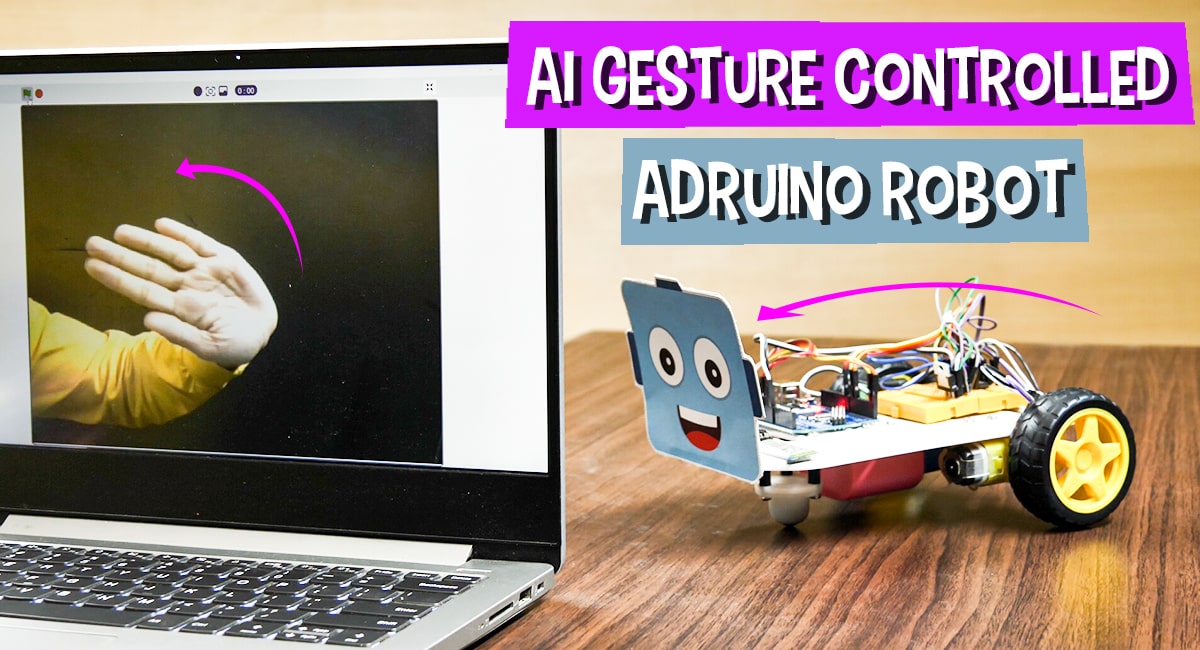
AI Gesture Controlled Arduino Robot Using Machine Learning

AI gesture Controlled Arduino Robot
Project Description
Learn how to control a 2-Wheel Drive Arduino Uno Robot with hand gestures using PictoBlox’s Machine Learning extension. Get started with AI!

Introduction

In one of our previous projects, we showed you how to make a gesture-controlled mobile robot with evive using PictoBlox’s Machine Learning extension. In this project, we will show you how to control a 2-Wheel Drive Arduino Uno Robot with hand gestures using the Machine Learning extension.

Ready? Set. AI!

Prerequisites to make the Gesture Controlled Robot

You’ll need the following things to make the gesture-controlled robot:

  1. A 2-wheel drive/ 4-wheel drive Arduino Robot robot.
  2. A laptop or a computer with a camera
  3. The latest version of PictoBlox
  4. A good Internet connection. 

To make the 4-wheel drive Arduino Uno robot, visit the link here to know-how.

Training the models.

To work with the Machine Learning we first need to train our models to recognize the gestures from the stage i.e. our camera feed.

  1. Visit https://teachablemachine.withgoogle.com/ to train the models.
  2. Click the Get Started button. A new page will open.
  3. Select the Image Project tile as we will be training the model with images of our hand-gestures.
  4. Let’s add the first class. You store your sample images into the classes either by using a webcam or by uploading it. In this case, we will be adding our sample images using the Webcam, thus click on the Webcam button to start the camera.
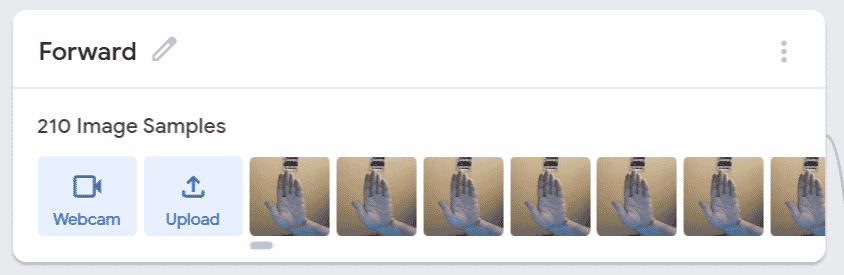
  5. We’ll first make the class for the robot to move forward, thus, keep our palm open and click on Hold to Record to record the images.
  6. We will make four classes:
    1. Straight: The robot should move forward if we keep our palm straight.Forward Image SAmple Data
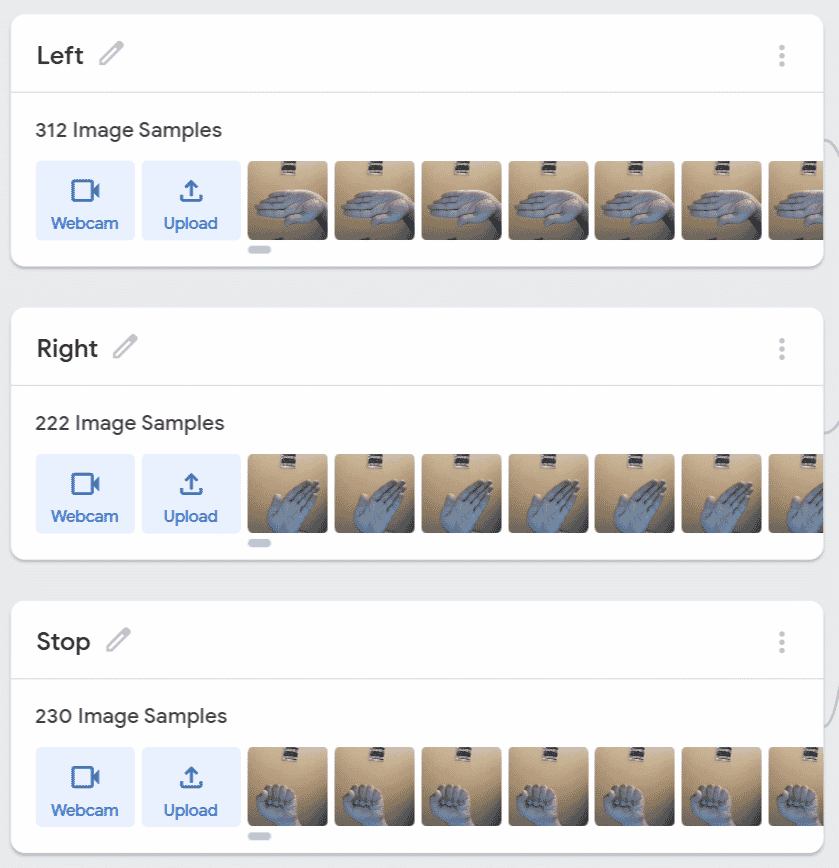
    2. Left: It should turn left If we tilt our hand left.
    3. Right: It should turn right If we tilt our hands right.
    4. Stop: The robot should stop if we close our fist.Model Training Images
  7. Similarly, make the other three classes too.

With this, you’ve entered the sample image to train the data. We’ll now train the model.

Training the model

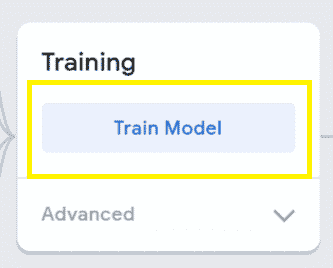
  1. Click the Train Model button and wait for the model to get trained.
  2. You can have a look/test the trained model.

Exporting the Trained Model

Now, that the model is perfect, let’s export the model.

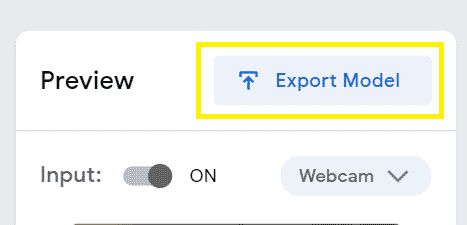
  1. Click on the Export Model button.
  2. A popup will open. Click the Upload my model button.
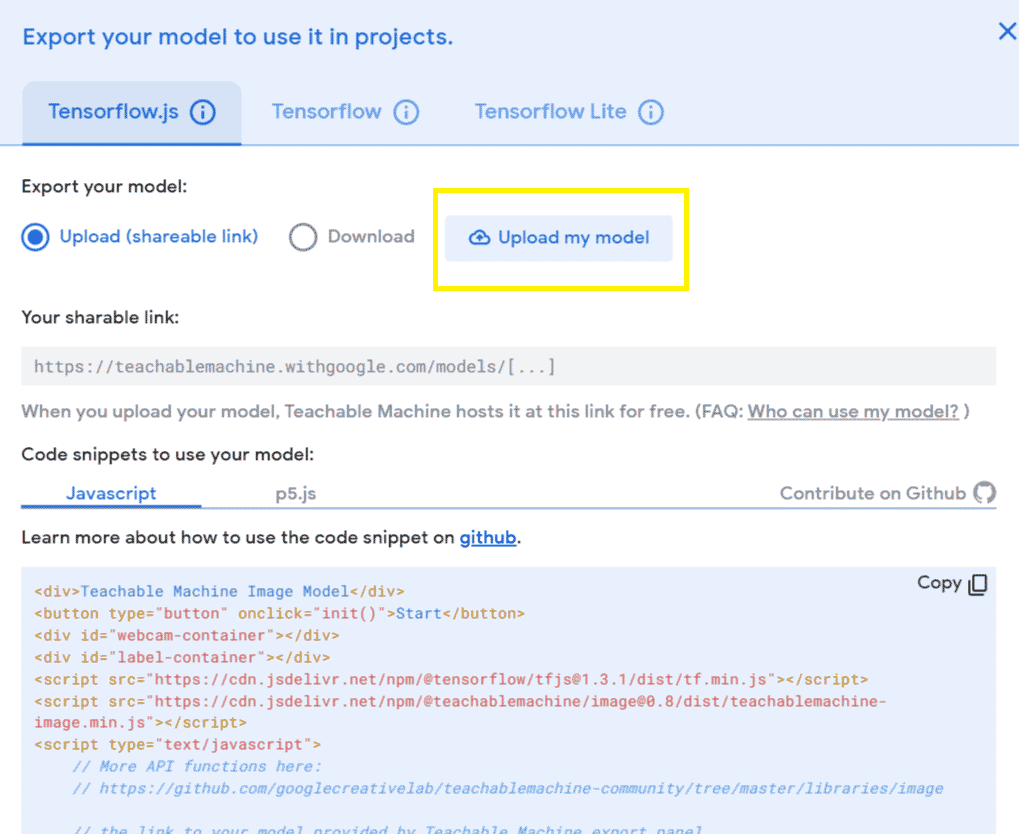
  3. A sharable link will appear, Copy it.

Uploading the Firmware

  1. Open PictoBlox.
  2. Click on the board button and select Arduino Uno.
  3. Before working with Arduino, let’s upload the firmware to it.
  4. Connect your  Arduino Uno to your computer using a USB cable.
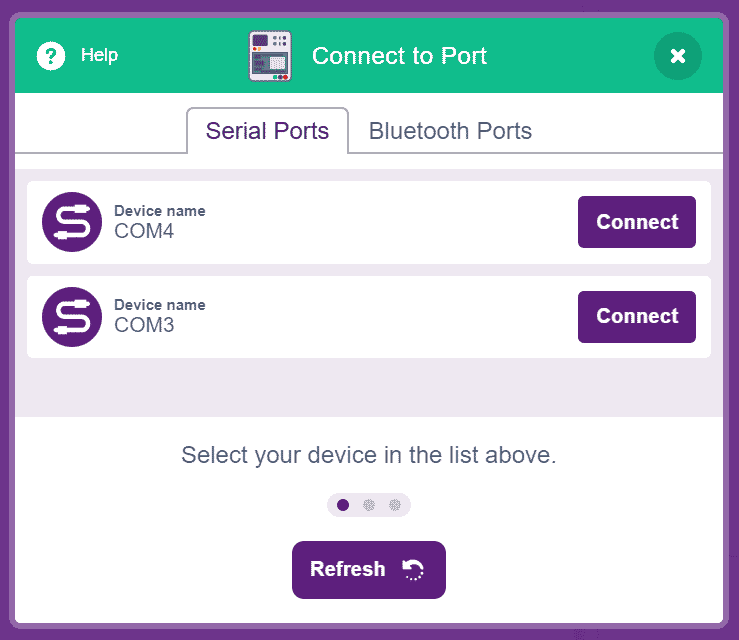
  5. Select the appropriate serial port. Click on the Upload Firmware button.Many COM ports
  6. Once uploaded, disconnect the USB cable.
  7. Next, we need to connect the Arduino Uno robot using Bluetooth.
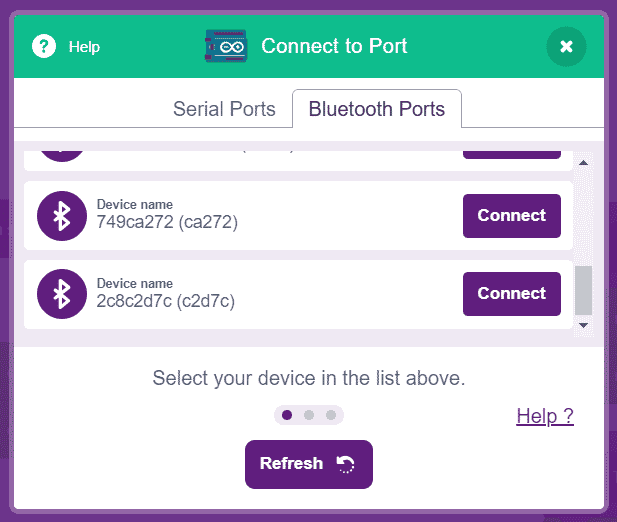
  8. Thus, click on Connect button, next click on Bluetooth Port, and select appropriate Bluetooth port.Bluetooth port

Writing the Script

Now that the models are loaded. Let’s begin by writing the script.

Setting up the Project

  1. We will first add the Machine Learning Extension.
  2. To work with the all-new AI and ML extension, you need to keep two things in mind:
    1. That you must sign in / login in PictoBlox from here.
    2. You must have a good internet connection.
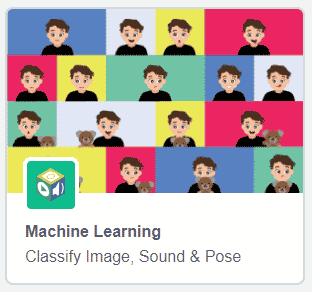
  3. Click the Add Extension button and select the Machine Learning extension. Machine Learning in PictoBlox
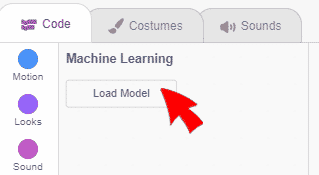
  4. Click the Load Model button.Load Model
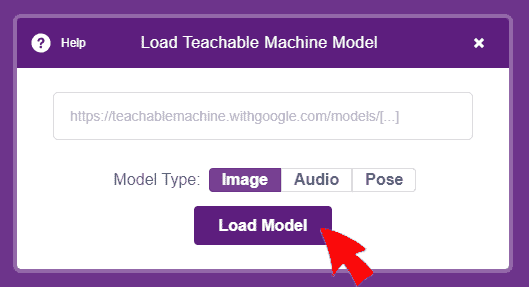
  5. A pop-up will open. Paste the link that you copied from the Teachable machine and click the Load Model button.Load Model

You may now see that the Machine Learning blocks are loaded.

Setting Up the Stage

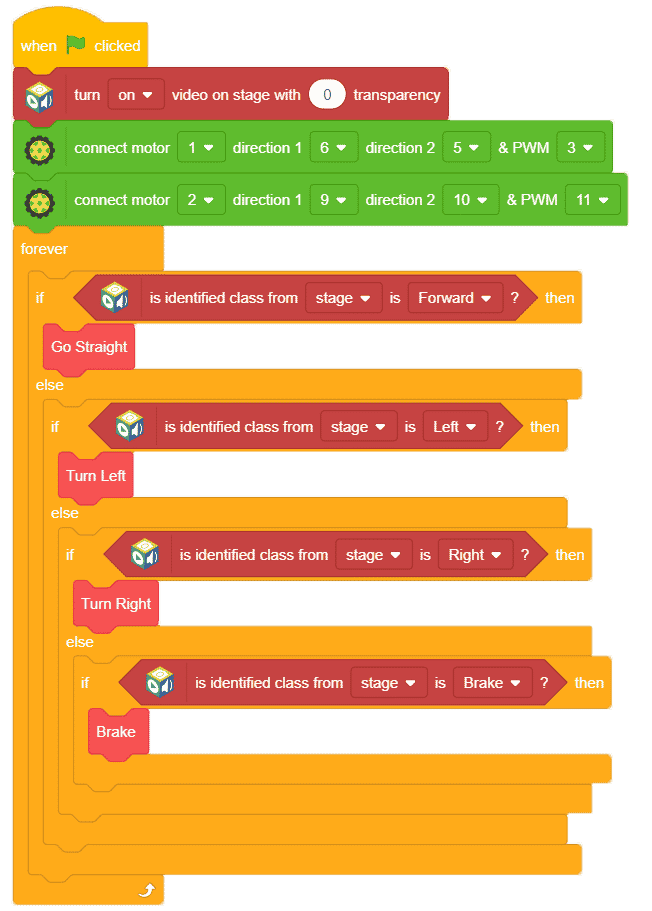
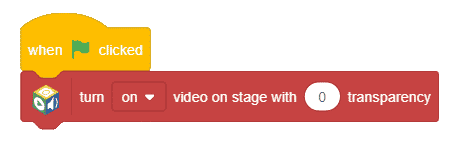
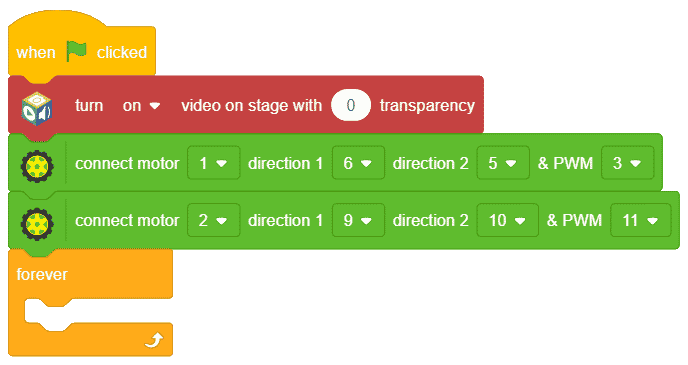
  1. First, drag-and-drop the when flag clicked hat block from the Events palette to execute the program when the green flag is clicked.
  2. As we need to recognize the hand gestures from the camera feed, place the turn () video on stage with 0 transparency block from the Machine Learning palette.
  3. Next, snap connect motor () direction 1 () direction 2 () & PWM () block. Choose 1 from the first dropdown, 6, 5, and 3 from the second, third and fourth dropdown respectively
  4. Duplicate this block and choose 2, 9, 10, and 11 from the first, second, third, and fourth dropdowns respectively.
  5. Place a forever block to make the code run continuously.
Assigning Actions

Next, we will recognize the gestures from the stage and perform actions accordingly.

Thus, let’s make a few custom function blocks.

  1. Go to My Blocks palette.
  2. Click on Make a Block button.
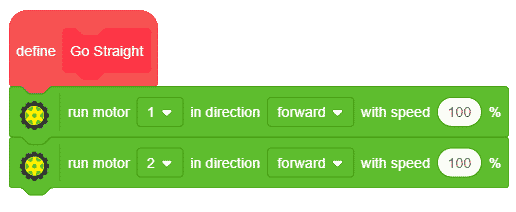
  3. First, we will make the function to make the robot move forward. Thus, write go straight into the name and click on OK.
  4. You’ll see a hat block onto the scripting area. Place the run motor () in direction () with speed () % block from the actuators block.
  5. Duplicate the above block and place it below it and choose 2 from the first drop-down.
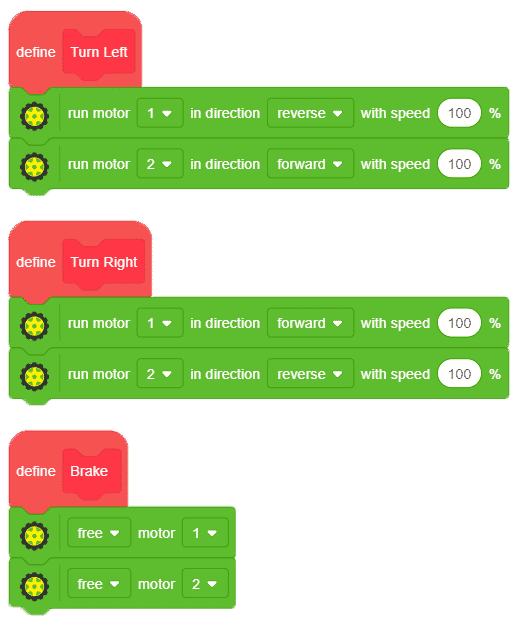
  6. Similarly, we will make the custom blocks to Turn Left, Turn Right, and Brake one by one.
  7. Duplicate the two motor blocks and place them below Turn Left and Turn Right custom blocks.
  8. Let’s make a few changes into these blocks.
  9. Into the Turn Left block, select reverse from the second drop-down of the first block.
  10. Into the Turn Right block, select reverse from the second drop-down of the second block.
  11. Into the Brake block, drag and drop the free motor 1 block from the actuators palette. Duplicate it and choose 2 from the second block.
Completing the main script

Now, let’s move onto the main script.

  1. Place an if-else block from the controls palette below the set cursor block.
  2. Drag and drop the is identified class from () is () block from the machine learning palette and choose stage from the drop-down and forward from the second drop-down. This will let us recognize the forward class from the trained model.

  3. Place the go straight block into the if arm. 
  4. Duplicate the if block and place it into the else arm.
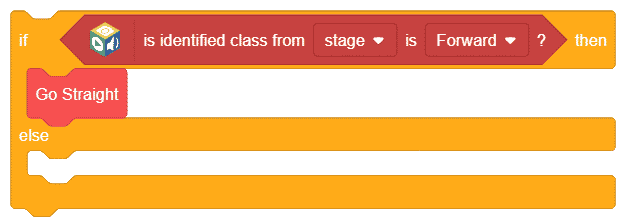
  5. Select left from the if block and replace go straight block with the turn left block.
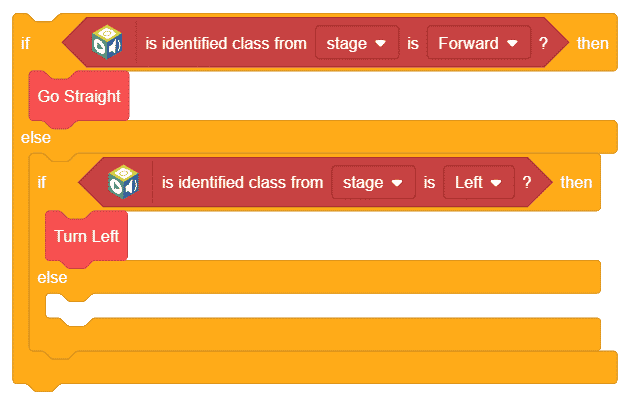
  6. Repeat the same process for right and stop.Gesture Controlled Arduino Robot3

The script is now complete, click on the green flag to run the script.

Conclusion

With this, your AI gesture-controlled Arduino Uno robot is ready to rock the floor. Enjoy!

Project Downloads - Code and Files

Code LabelCode File
Gesture Controlled Arduino Robot's PictoBlox Codehttps://ai.thefreechinaxxxxmovies.com/wp-content/uploads/2023/05/Gesture-Controlled-Arduino-Robot-2.sb3

Explore Related Projects by freechinaxxxxmovies

Self Driving Card in PictoBlox using Recognition Card
Self Driving (Autonomous) Car in PictoBlox Using Recognition Ca..
Learn how to make a self-driving car using PictoBlox and the Recognition Card Extension. Create a stage resembling a street and program John the instructor to guide the user through selecting lanes and recognizing number cards.
Learn More
Virtual Doctor Using NLP
Virtual Doctor Using Natural Language Processing Extension in P..
Learn how to create a virtual doctor using Natural Language Processing (NLP) in PictoBlox. Train the text data for diseases and build a text classifier.
Learn More
Face Recognition Based Attendance System Using Micro: bit
Face-Recognition based Attendance System using Micro: bit
Learn how to make a face recognition-based attendance system using micro: bit in PictoBlox AI. Track attendance by scanning faces and storing data in Excel.
Learn More
Explore All Project by freechinaxxxxmovies

Explore Community Projects

Smart Traffic Light System 2-29 screenshot
SmartFlow: Revolutionizing Traffic Management with Intelligent ..
Project Mr.Mike Codeavour 2021 3-42 screenshot
Meet Mr. Mike: Your 高潮喷水的网站 高潮喷奶水h文 Screen Helper
PROJECT _ For a good health 4-4 screenshot
Improve Posture for Health and Well-being with Posture Alert
KISAN DOST – AUTOMATION IN AGRICULTURE.mp4.00_04_23_20.Still003-602a25bf
KISAN DOST – AUTOMATION IN AGRICULTURE
Team Tech _ Gyanda Girls' High School _ Codeavour 2021 1-45 screenshot
Smart Parking System: A Proof of Concept
Personal assistant App. - Waleed Mohamed Radwan - Apex_Codeavour 2022 3-12 screenshot
VirtuAssist Personal AI Assistant
Explore All Community Projects
PHARMA DOCTOR.mp4.00_04_22_04.Still006-1ddd2c30
Community Project
Pharma Doctor- Secure Medication Reminder Box with AI-Powered Symptom Analysis
You are stronger than drugs- Nabila Ehab- Atfal Masr_Codeavour 2021 2-4 screenshot
Community Project
You Are Stronger Than Drugs: An App to Help Prevent Addiction
Robotic-Arm-Bartender
Project by freechinaxxxxmovies
DIY Robotic Arm Bartender
Sci-tech Education app_Codeavour 2022 1-37 screenshot
Community Project
Sci-Tech Education App: Delving into STEM Topics with the Help of PictoBlox
Suhaan Aneja _ 15 _ Codeavour Project 2022 _ Pictoblox Project _ Blind-E _ @freechinaxxxxmovies #codeavour2022 4-15 screenshot
Community Project
Blind E – Enhancing Safety and Security for Missing Individuals
Easy Move 0-3 screenshot
Community Project
Facial Gesture Control for Mobility Enhancement of People with Disability
Navika & Deetya 1-59 screenshot
Community Project
Fruit Harvesting Bot – For easy cultivation of fruits
Dabble Controlled LED Lamp
Project by freechinaxxxxmovies
DIY Dabble Controlled LED Lamp
友情链接:jinguowa.com | xuranshop.com | crccjj.com | vh93.com | dttbjx.com | fosd18.com | altai2000.com | tythyy.com | sinozecsales.com | 7digito.com | hunanlitian.com | gx6yar44.com | jlyhbg.com | weizhenhot.com | mexicanpottery-art.com | lord-cn.com | pzdbzx.com | china-gddl.com | hushuiqinglawyer.com | eyantang.com | dingcan7.com | xj-kry.com | lianyizz.com | chongwu99.com | pz41.com | liuxing222.com | forskningsfronten.com | changchunshi.com | lilaib.com | d21gg.com | gxbh-tec.com | dengshigou.com | rwdzs.com | ganghongmachine.com | cdfgh.com | akssdsfwzxpt.com | hnrdjg.com | yunxiuzhenlin.com | 3z7y7ilp.com | nodwords.com | zzsjxt.com | 2ncai.com | sdmxgccl.com | bsxl999.com | kuma114.com | mhlsym.com | inumaruya.com | lvyagolf.com | xl71.com | sijilangyuan.com | rclogger.com | maimengchong.com | grandfatherchronicles.com | 9scd.com | hmgszz.com | ssgtest01.com | 4uitem.com | tingchetong.com | abcjuming.com | zloverseas.com | minanbao.com | wfnovel.com | wlgww.com | 320259.com | zz7392.com | zaishuai.com | 12on14.com | xylonghui.com | jinguo28.com | wei-ar.com | balanceforest.com | ylxxdj.com | 5ggl.com | hbpengpai.com | qmobaby.com | lhjrzs.com | guilinltgg.com | wyd1688.com | ieplvpn.com | hualingec.com | cdzhenzui.com | 4hutt56.com | ihjcc.com | ntbsra.com | oleoylestrone.com | jlbjhh.com | whmahaha.com | wphzeu.com | zhch1999.com | dubangkeji.com | 524469.com | ai-noodle.com | expresszmagyarjogositvany.com | goodthingone.com | bjzncwy.com | chaoshengdao.com | jdhyxf.com | tjdmw.com | andsobut.com | wyaxls.com | bwsid.com | 071806.com | lantaiguanggao.com | rzjzkl.com | btsjsmy.com | wmhysky.com | oaklandcountywelldrilling.com | vw-ntdl.com | kataruni.com | shrywfs.com | zuisj.com | jsszxny.com | idh-ci.com | zijinjg.com | bullcoach.com | sh-tongtong.com | xintianpeng.com | santingtv.com | hnanjia.com | vf61.com | tianlenb.com | zmat01.com | geojieer.com | moeenglishtutor.com | sxailife.com | cis-sj.com | bluesrocknrolljazz.com | jialianyi.com | cms6666.com | hhcq999.com | moon1188.com | cqjzxkfwb.com | 3dadvertisementproduction.com | hualongjiuye.com | 51aldin.com | yonglaizhu.com | washbn.com | chuanglianfamily.com | cdsjzy.com | yczai.com | manufaktury.com | zhenaoyiliao.com | ydhyjhq.com | thinkershare.com | dianzg.com | jnjzxyy.com | nyecospaces.com | 86650602.com | caiqituliao.com | sdxcfre.com | xchte.com | jinlingshier.com | gxwxlcf.com | ssxlwx.com | tool52.com | rbscbk.com | tiananmenlvyou.com | kimhannemann.com | estiwebsite.com | jiubanjia.com | zhaohecm.com | xabdfm.com | tzjctwall.com | unblockpp.com | ganzhaliji.com | tibetgeo.com | yingqt.com | xmquzao.com | hnsdai.com | sdswkb.com | ysrenfang.com | 0898yali.com | 50fzb.com | llhdby.com | dehanyuan.com | yzmer.com | shzsjd.com | klyjj.com | all-studying.com | cnherald.com | 1stbridesmaid.com | bgxbxxw.com | haobianhua666.com | rljonesinsurance.com | sergiosanchezart.com | haobaoxiao.com | vvnmm.com | 8szhyt8.com | xiaolanding.com | melshake.com | nbcxw.com | colloso.com | lightriverstudio.com | haunts-bs.com | jnanxinhg.com | ytxjmb.com | weinate.com | szqdyu.com | qifeijiaoyu.com | naifenshop.com | gdglfl.com | maxwell-motor.com | gztygjjd.com | dingshiplan.com | zdycxy.com | coohan.com | 1030n.com | rm-9.com | d09q5vug.com | shgjsz.com | wdmegroup.com | 2233031.com | syqianxianghb.com | gssyjz.com | mxtylys.com | gzconvon.com | edwto.com | ldsgcbw.com | nazhihealthcare.com | ammmc.com | andreaturek.com | glfly.com | luoyangbingcheng.com | sunnavip.com | njzaex.com | 2xkd.com | kmyfhg.com | rphmarketing.com | tldqi.com | jiangxinkjzs.com | bewonce.com | vy23.com | hzmdhzp.com | srjsjx.com | xyfutures.com | ycy2025.com | zhikunedu.com | beijingyuezhang.com | tennwin.com | shovya.com | softopto.com | bikes101.com | fstmjzxh.com | zgmowang.com | jzqxapp.com | jyj888.com | 51syhz.com | 8590333.com | eggfashiontoy.com | qdzzrshr.com | uanika.com | escloupeto.com | bjwzxh.com | wuliu569.com | greenhoperisefield.com | rrssyy.com | justinzhongnext.com | dycaiyi.com | daoreyoujiacengguo.com | gznjqc.com | zhimapobi.com | bryunshang.com | 8338867.com | dcsjv.com | artbide.com | lelingai.com | kinshicho-aikido.com | yizhefeng.com | jyukuirazu.com | entrepreneurialctr.com | 566571.com | yucansh.com | seiwa-shop.com | jwdqfw.com | tzxingwei.com | coolmgr.com